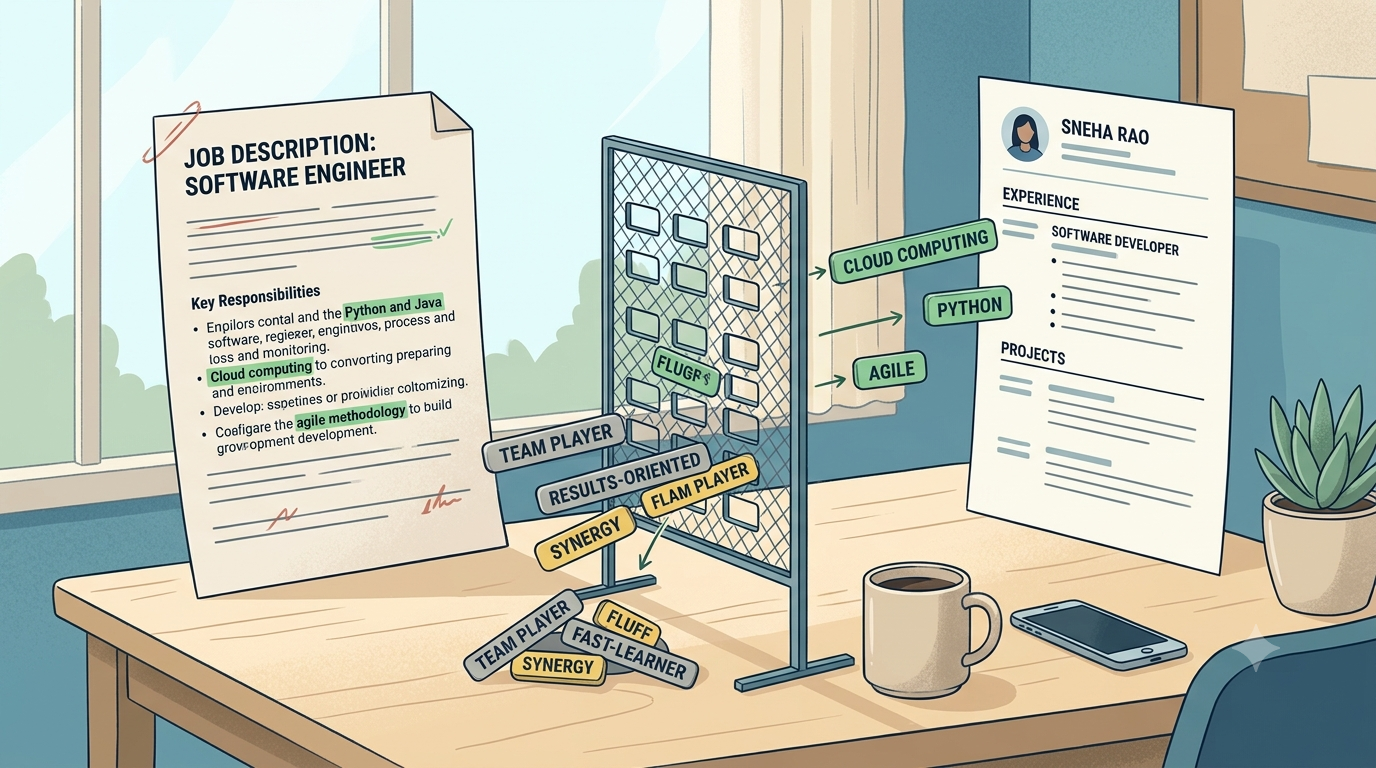
You highlight half the job description, paste every bolded skill into your Skills section, and still feel unsure—because stuffing words you cannot defend in an interview is not a strategy. Applicant Tracking Systems (ATS) vary by employer, and humans still read what gets through. This guide shows how to pull the right keywords from a JD and place them where evidence already exists.
The Evidence Gate Method
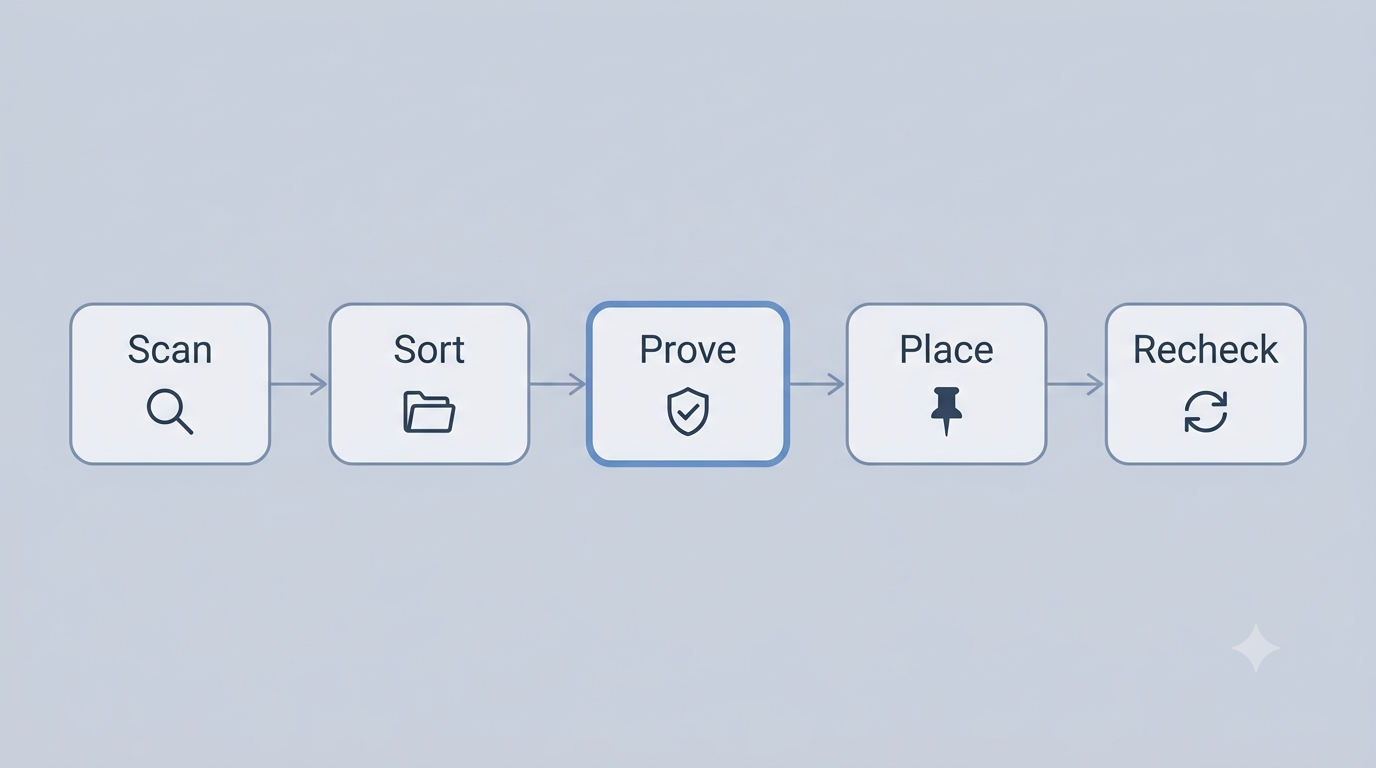
Use this five-step loop on every priority application. It replaces “copy all JD nouns” with a keep / rephrase / skip decision.
| Step | What you do | Output |
|---|---|---|
| 1. Scan | Highlight title, required quals, tools, repeated phrases, and “nice to have” lines | Raw phrase list (messy is fine) |
| 2. Sort | Bucket each phrase: must-skill, tool, soft skill, or fluff | Keyword Sort Matrix |
| 3. Prove | For each keep candidate, write one proof line (project, internship, job, coursework) | Pass / rephrase / skip |
| 4. Place | Put passed keywords in Skills, bullets, or Summary—once, in context | Readable tailored draft |
| 5. Recheck | Run the Stuffing Red-Flag Scorecard; skim as a recruiter | Ship or trim |
Section takeaway
- Keywords without proof are interview landmines.
- Sort before you paste—most JD adjectives are fluff.
- Placement beats repetition: one clear use beats five dumps.
Step 1–2: Scan the JD, then Sort
Career centers often recommend listing keywords from the posting and noticing which terms repeat. Start there—then classify so you do not treat every adjective as equal.
Where keywords hide
- Job title and team name — role language (e.g., “Junior Data Analyst”)
- Required qualifications — degrees, years, must-have tools
- Skills / responsibilities — verbs + objects that show the work
- Repeated phrases — if “SQL” appears three times, prioritize it over a one-off soft skill
- Nice-to-haves — optional; only keep if you can prove them
Keyword Sort Matrix (copy this)
Paste JD phrases into one column. Illustrative categories only—your JD will differ.
| Bucket | Meaning | Illustrative examples | Default action |
|---|---|---|---|
| Must-skill | Core capability for the role | financial modeling, regression testing, content calendars | Prove → Place if true |
| Tool | Named software / stack | Excel, Figma, Python, Salesforce | Prove with project or coursework |
| Soft | Interpersonal traits | communication, teamwork, ownership | Rephrase into a bullet with proof—or skip |
| Fluff | Adjectives / culture filler | passionate, dynamic, self-starter, rockstar | Skip on the resume |
Step 3–5: Prove, Place, Recheck
Evidence Gate (keep / rephrase / skip)
For every must-skill or tool on your short list, answer in one sentence: Where did I use this?
| Decision | When | What to do |
|---|---|---|
| Keep (exact) | You used the same tool/term and can defend it for 60 seconds | Place once in Skills and once in a bullet/project if space allows |
| Rephrase | You did adjacent work (e.g., Google Sheets ↔ Excel) | Use the JD’s preferred term only if honest; otherwise keep your accurate term and add the JD term where truly overlapping |
| Skip | No real exposure, or fluff adjective | Leave it out—do not invent |
Evidence Gate worksheet
- JD phrase: ________________
- Bucket: must-skill / tool / soft / fluff
- Proof source (project / internship / job / coursework): ________________
- 60-second story ready? Yes / No
- Decision: Keep / Rephrase / Skip
- Placement: Skills · Bullet · Summary · Projects
Where to place keywords (without stuffing)
- Skills — tools and hard skills you truly have; keep the list scannable
- Experience / project bullets — best home for must-skills (context beats a lonely word)
- Summary — 1–2 role-aligned phrases for humans skimming the top third
- Job titles / section headings — use standard labels so parsers and people both recognize sections
For full rewrite flow after keywords are chosen, use how to tailor a resume to a job description. For formatting that stays readable to scanners and people, start with an ATS resume template or browse BrainUp templates.
Want a structured place to apply these edits?
Optional next step: open the BrainUp Resume Builder, paste your tailored sections, then use AI Insights to check keyword fit against a job description (login/subscription may apply).
Open Resume BuilderWorked examples (illustrative)
Examples below are illustrative—adapt to your real projects. Do not copy metrics you cannot defend.
Fresher — campus / project proof
Skills: Python, SQL, Tableau, Machine Learning, Deep Learning, Communication, Leadership, Teamwork, Agile, Scrum, Passionate learner…
Problem: long dump, soft fluff, and tools with no story.
- Skills: Python, SQL, Excel, Pandas (only tools used in a project)
- Project bullet: Built a Python + SQL analysis of 2,000 campus survey rows to surface top 5 dropout drivers for a student club report.
Soft “teamwork” lives in the bullet (“student club report”), not as a lonely Skills tag.
Experienced — JD mirror with proof
- Keep: Salesforce + pipeline hygiene (used weekly)
- Rephrase: “stakeholder reporting” → keep JD wording in a bullet
- Bullet: Owned Salesforce pipeline hygiene for a 40-account book and delivered weekly stakeholder reporting that cut forecast surprises before month-end reviews.
Career switcher callout
Section takeaway
- Freshers: prove tools through projects and internships first.
- Experienced: put must-skills inside impact bullets, not only Skills.
- Skip fluff adjectives; show the behavior instead.
Stuffing Red-Flag Scorecard
Before you submit, score yourself. Aim for mostly Yes. This is a self-check—not an official ATS score.
| # | Check | Yes / No |
|---|---|---|
| 1 | Every Skills item can be defended in an interview | ____ |
| 2 | No keyword appears as a meaningless wall of synonyms | ____ |
| 3 | Must-skills appear in at least one bullet or project, not only Skills | ____ |
| 4 | Fluff adjectives (passionate, dynamic…) are absent or rare | ____ |
| 5 | A human can read the top third in under 30 seconds | ____ |
| 6 | You did not invent tools, titles, or metrics to match the JD | ____ |
- White or tiny-font keyword footers
- Repeating the same tool five times in one paragraph
- Copy-pasting the entire Requirements section into Skills
Want the bigger picture on ATS-friendly structure (not just keywords)? Read what an ATS-friendly resume is and how to make one. More guides live on the BrainUp blog.
Optional recheck after you place keywords
If you want a second pass against a pasted JD, try AI Insights inside the Resume Builder after your Evidence Gate edits. Treat any score as a helper—not a guarantee.
Check fit in Resume BuilderFAQ
How do I find keywords in a job description?
Scan the title, required qualifications, skills, tools, and repeated phrases. Copy them into a Sort Matrix (must-skill, tool, soft, fluff), then keep only terms you can prove with Evidence Gate.
What resume keywords should freshers use?
Prefer tools, techniques, and project verbs that appear in the JD and that you can demonstrate through projects, internships, coursework, or campus work. Soft adjectives alone rarely help; pair soft skills with proof.
Should you put ATS keywords on a resume?
Yes—when they honestly describe your skills and experience. Place them where a human would expect them (skills, bullets, summary). Do not paste a wall of unmatched terms.
What is keyword stuffing and why should it be avoided?
Keyword stuffing means repeating or dumping JD phrases without real evidence or readable context. It can hurt trust with recruiters and make your resume look generic—even when some systems still index the words.
What should you avoid in an ATS-friendly resume?
Avoid inventing skills, white-on-white keyword walls, dense synonym lists, and complex layouts that break parsing. Prefer clear section headings, standard fonts, and evidence-backed keywords. ATS behavior still varies by employer.
Do I need a different keyword set for every job?
Usually yes for priority applications. Keep a master resume, then run Evidence Gate per JD. You typically need a tailored version—not a brand-new career story. See how to tailor a resume to a job description.
Keywords help systems and humans find your fit. Evidence keeps you interview-ready. Stuffing helps neither.